For participants
Submit your competition music
Upload the music for each of your programs in a few minutes. You do not need an account — your Swiss Ice Skating number is enough to find your registration.
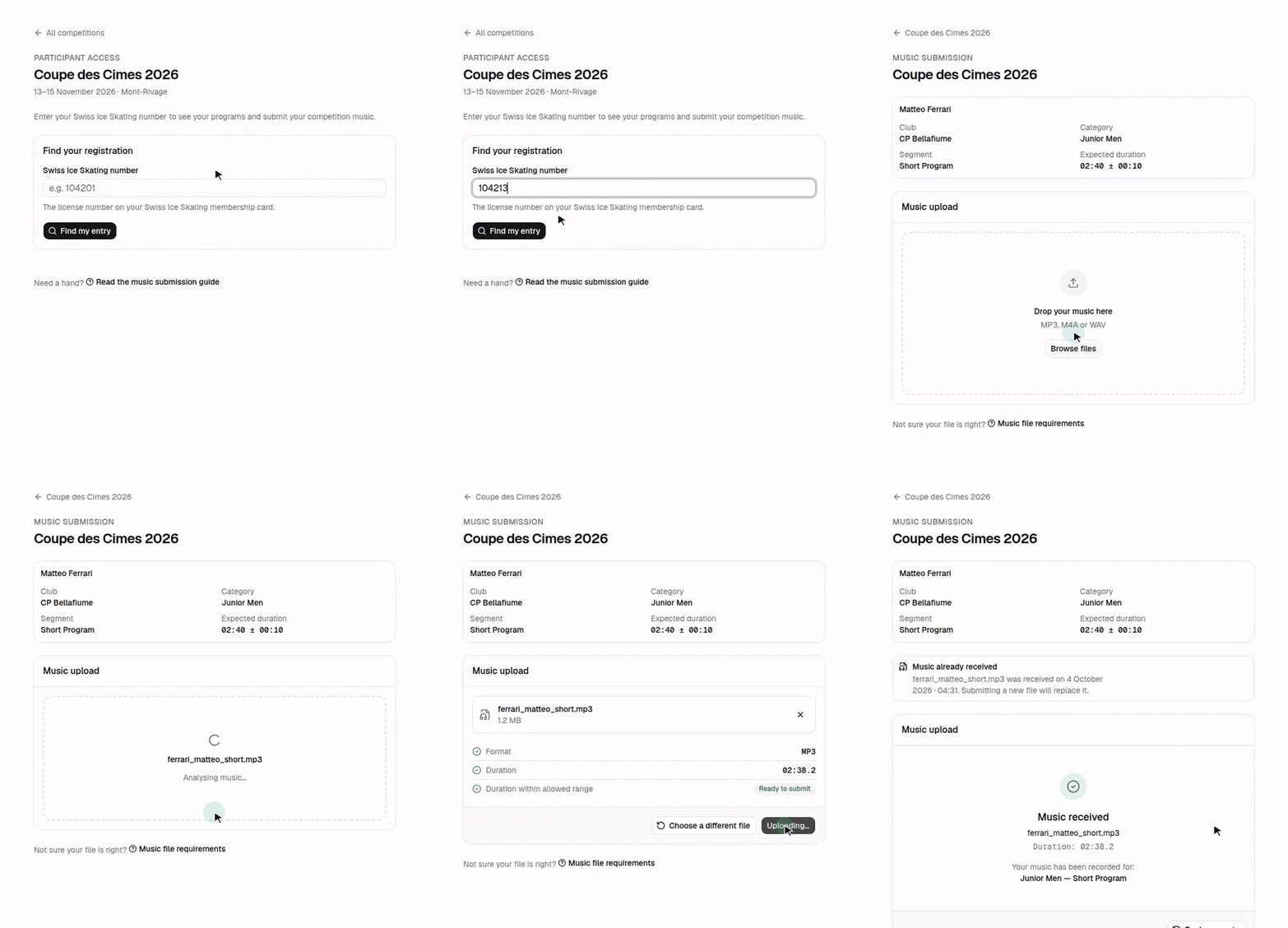
Before you start
Have these ready:
- Your Swiss Ice Skating number — the license number on your Swiss Ice
Skating membership card, e.g.
104201. - One music file per program, as MP3, M4A or WAV, cut to the length your category requires. See Music file requirements if you are unsure.
Step by step
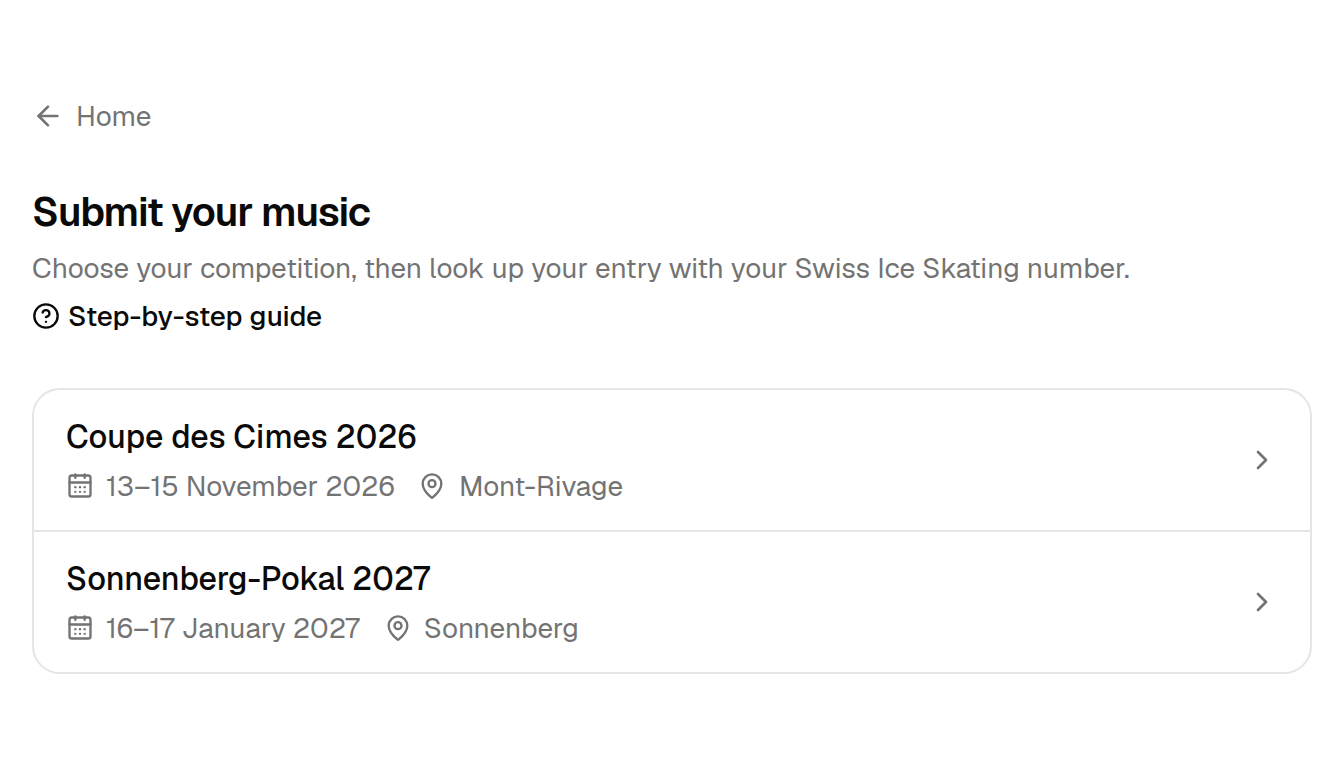
Choose your competition
Find your registration
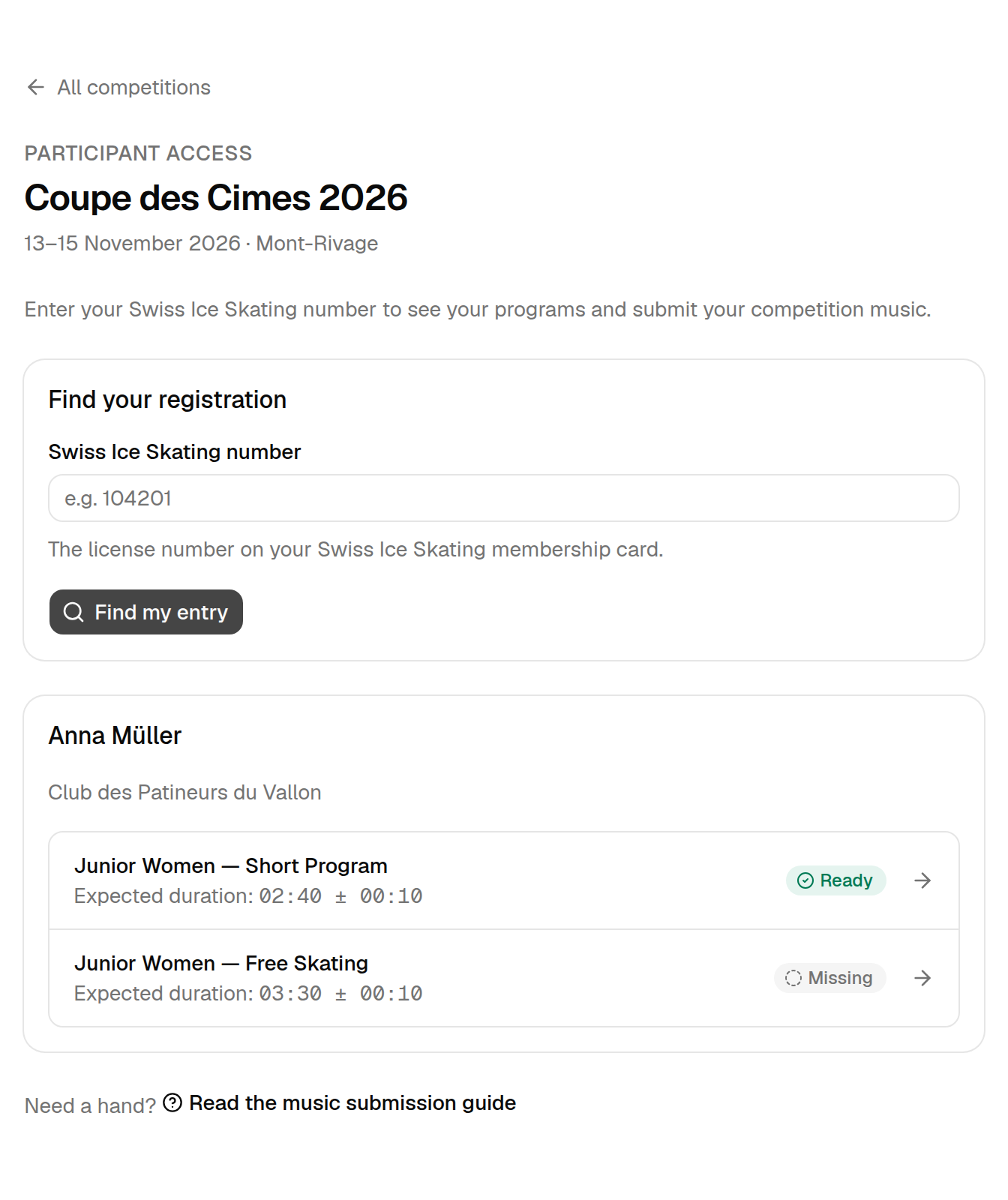
Type your Swiss Ice Skating number and select Find my entry. RallyHub lists every program you are registered for in this competition, with the expected music duration and the current status of each.
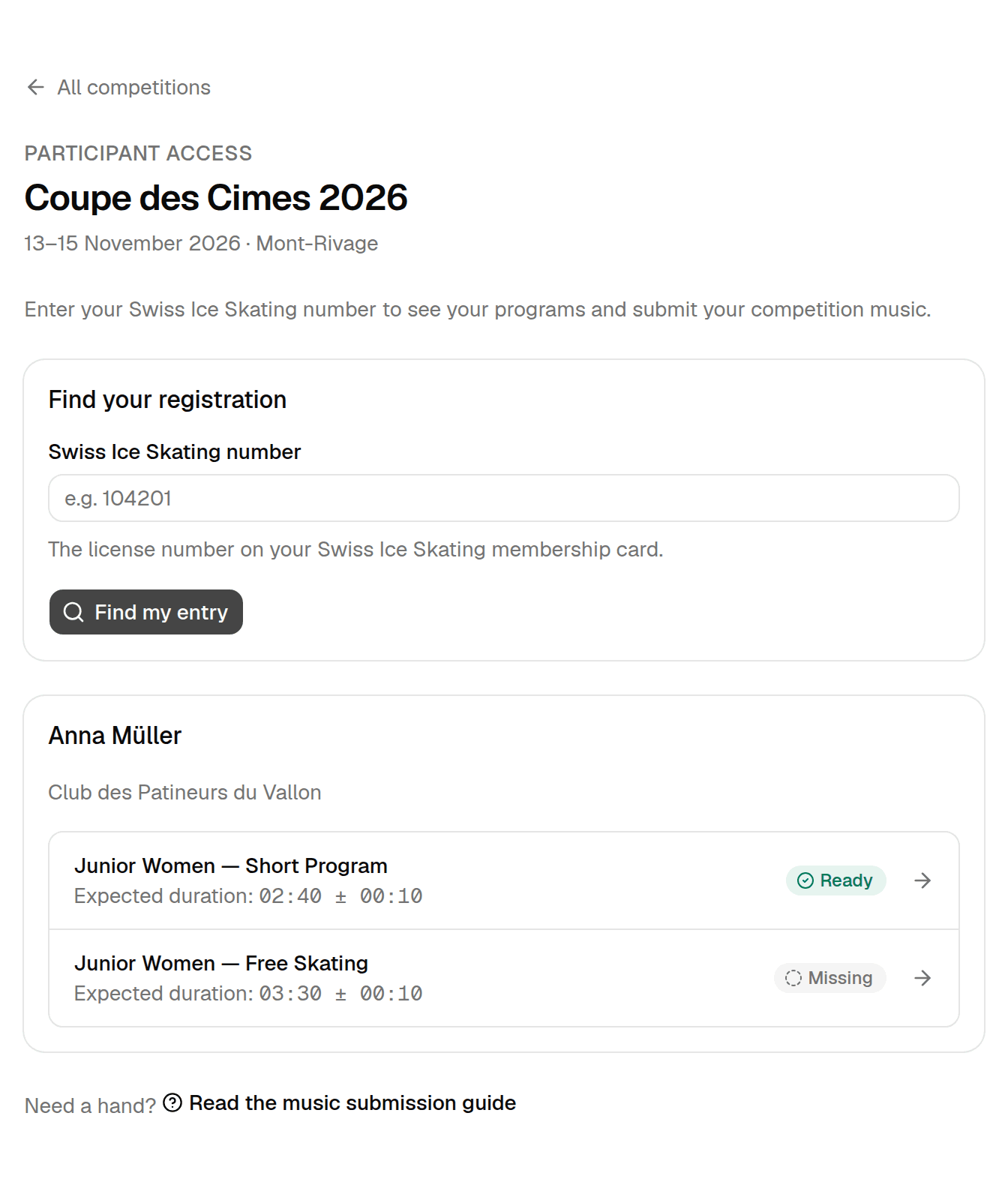
Anna's Short Program music is already in; her Free Skating music is still missing. Spaces in the number are fine. If RallyHub cannot find you, see Troubleshooting.
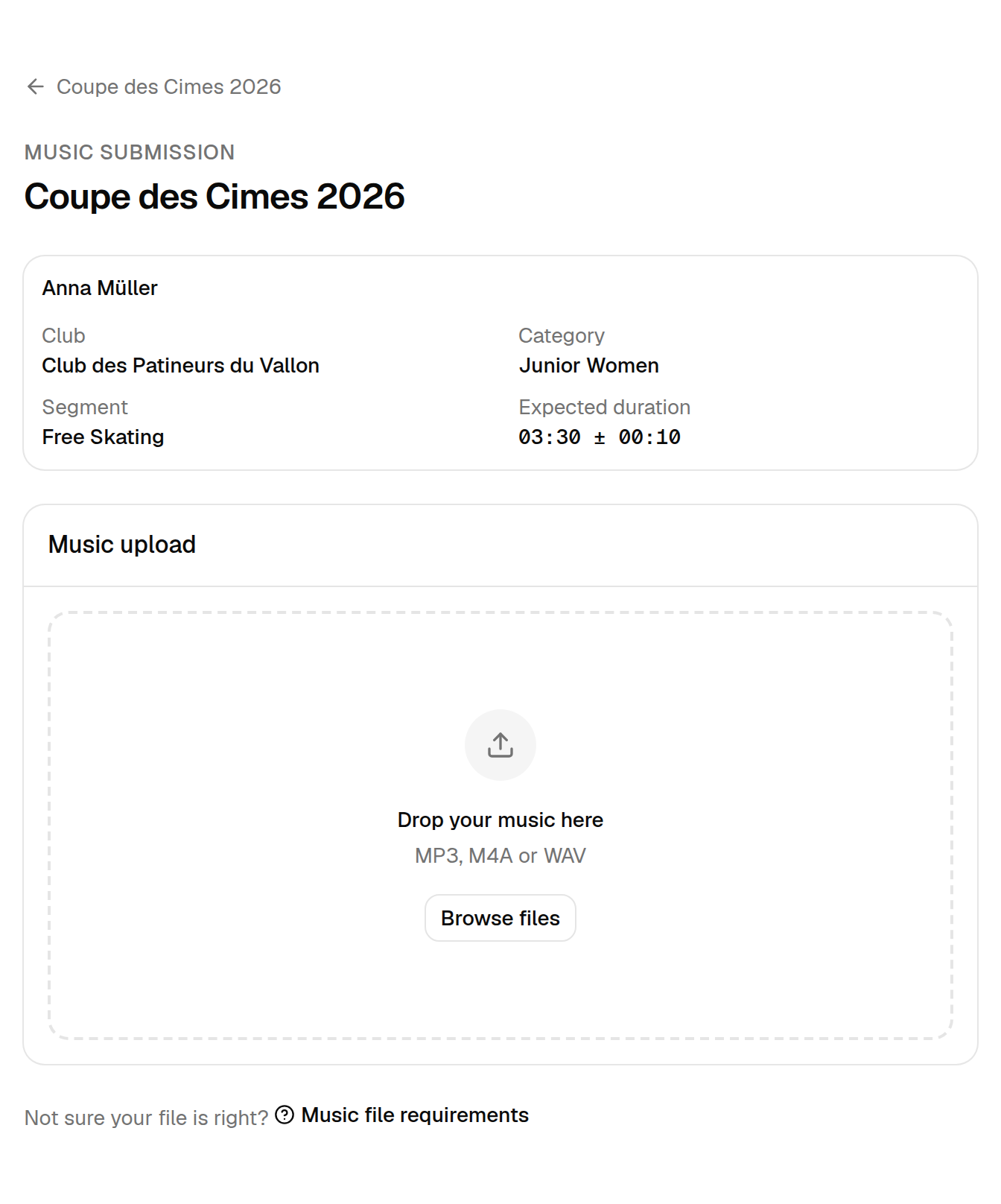
Open the program you want to submit music for
Choose your music file
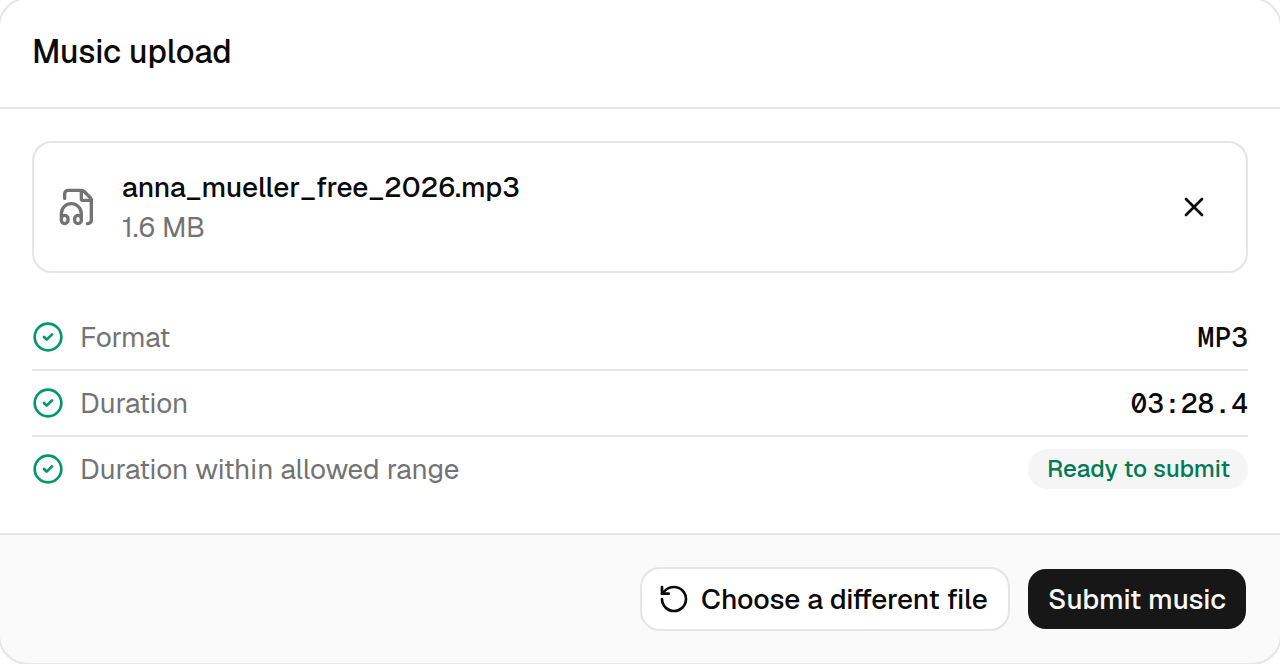
Drag your file onto the upload area, or select Browse files and pick it. RallyHub analyses the file on your device — nothing is uploaded yet — and shows the result of two checks:
- Format — the file is MP3, M4A or WAV.
- Duration — the music fits the expected length of this program.
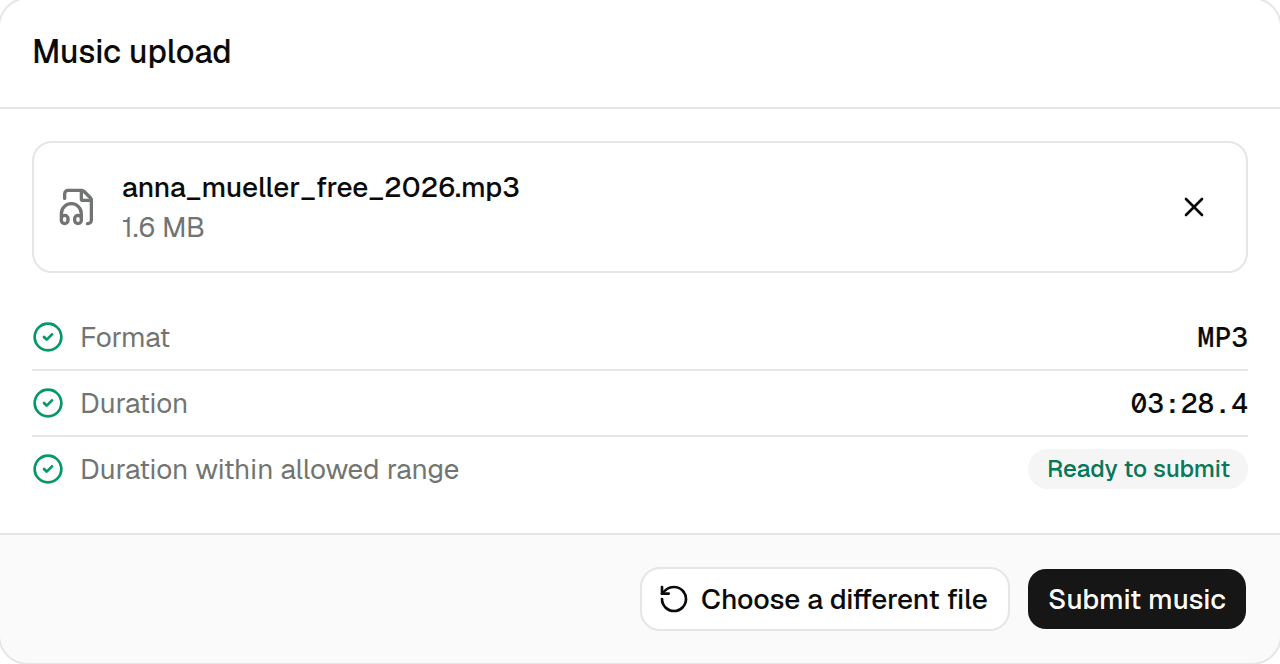
Both checks passed — the file is ready to submit. Picked the wrong file? Select Choose a different file or the × next to the file name.
Submit
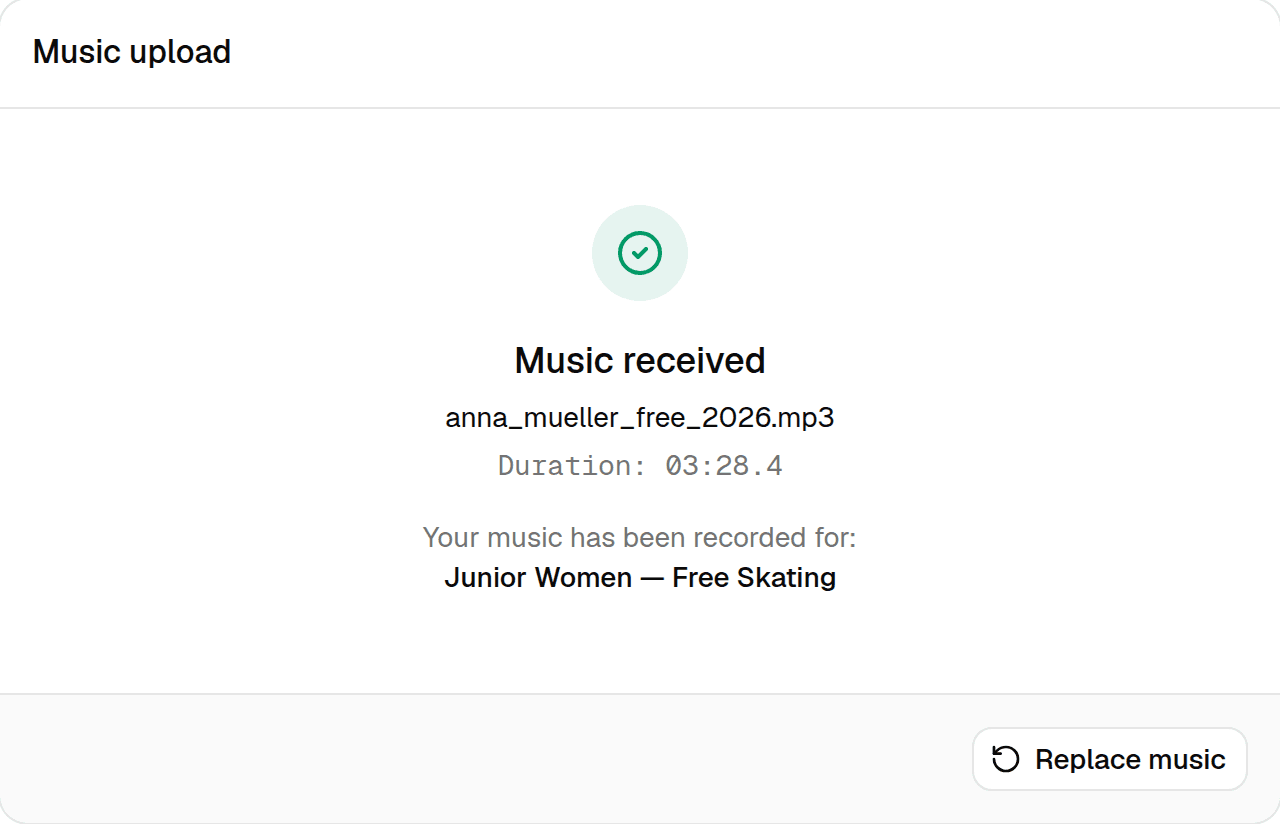
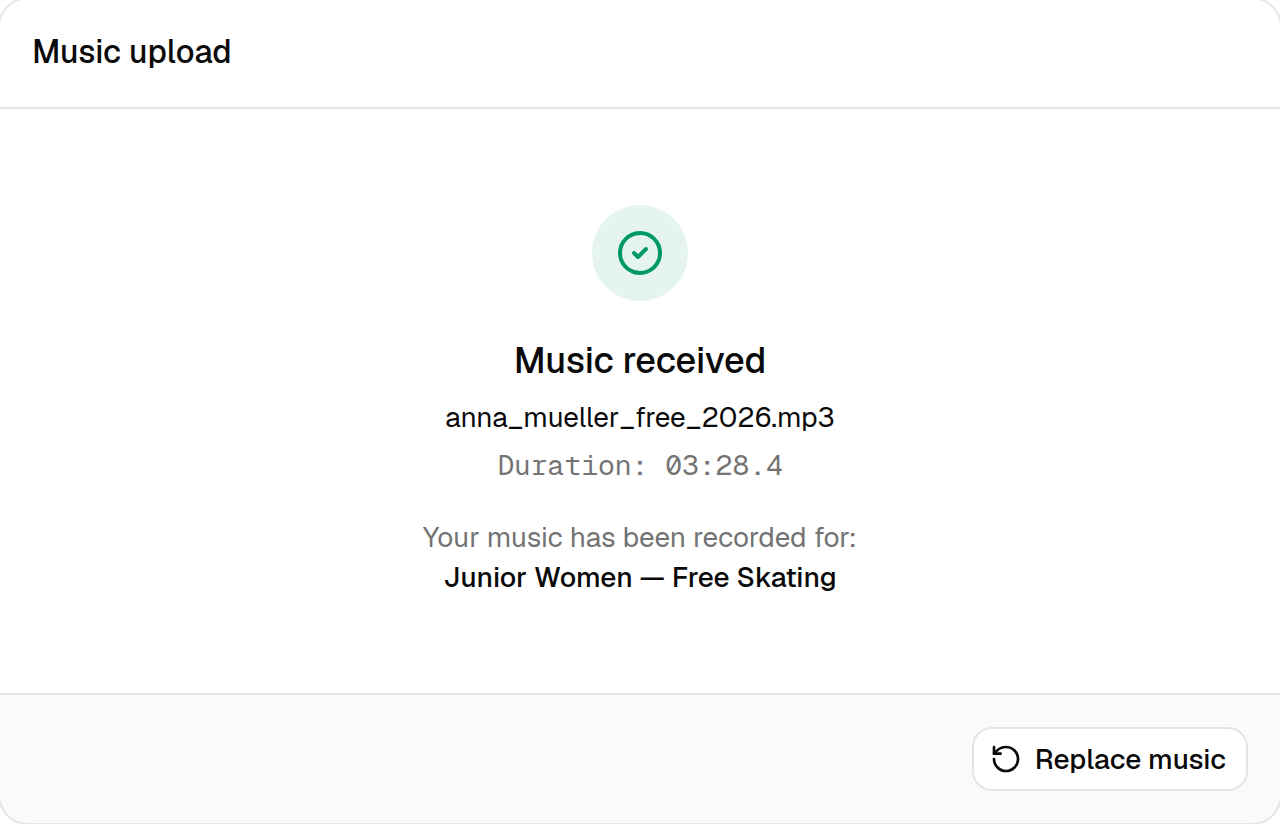
Select Submit music and keep the page open until the upload finishes. When you see Music received, the organizer has your file.
Repeat for your other programs
Use the link at the top of the page to go back to the competition, look yourself up again and submit the music for your next program.
What if a check shows a warning?
If the duration is outside the allowed range, RallyHub shows a warning and the button changes to Submit anyway. Double-check that you picked the right cut of your music first. Some categories allow exceptions, so you can still submit — the organizer will see the warning.
If the format is not accepted, or the file cannot be read, you cannot submit it. Music file requirements explains how to fix both.
After you have submitted
- You can replace your music as often as you need until the deadline — see Replace music and deadlines.
- Your file is stored privately. Only the competition's organizers can download it.