For organizers
Manage participants
The Participants tab shows the competition's official participant list: every skater registered in every category.
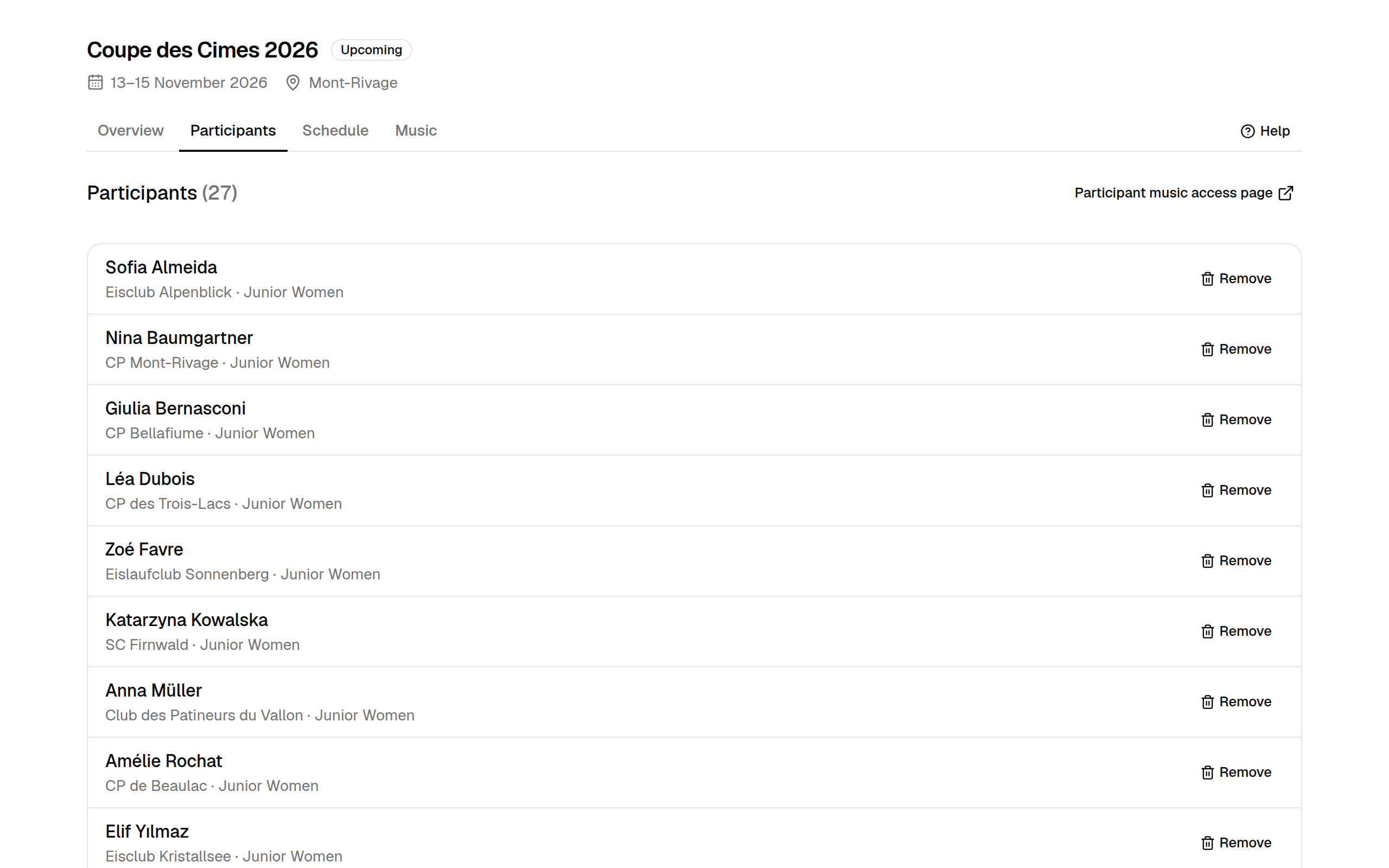
Each row shows the skater, their club and their category. A skater entered in two categories appears once per category.
Share the participant access page
Select Participant music access page to open the public page where participants look up their entry and upload their music. Copy its address into your competition announcement or entry confirmation, so skaters land directly on your competition.
Remove an entry
Select Remove next to a participant to take their entry out of the competition, e.g. after a withdrawal. Removing an entry:
- moves it to Removed from this competition at the bottom of the list,
- takes its programs out of the music dashboard and the counts,
- stops the participant from looking it up or submitting music.
Removing is safe: nothing is deleted. The entry keeps its music and you can restore it at any time.
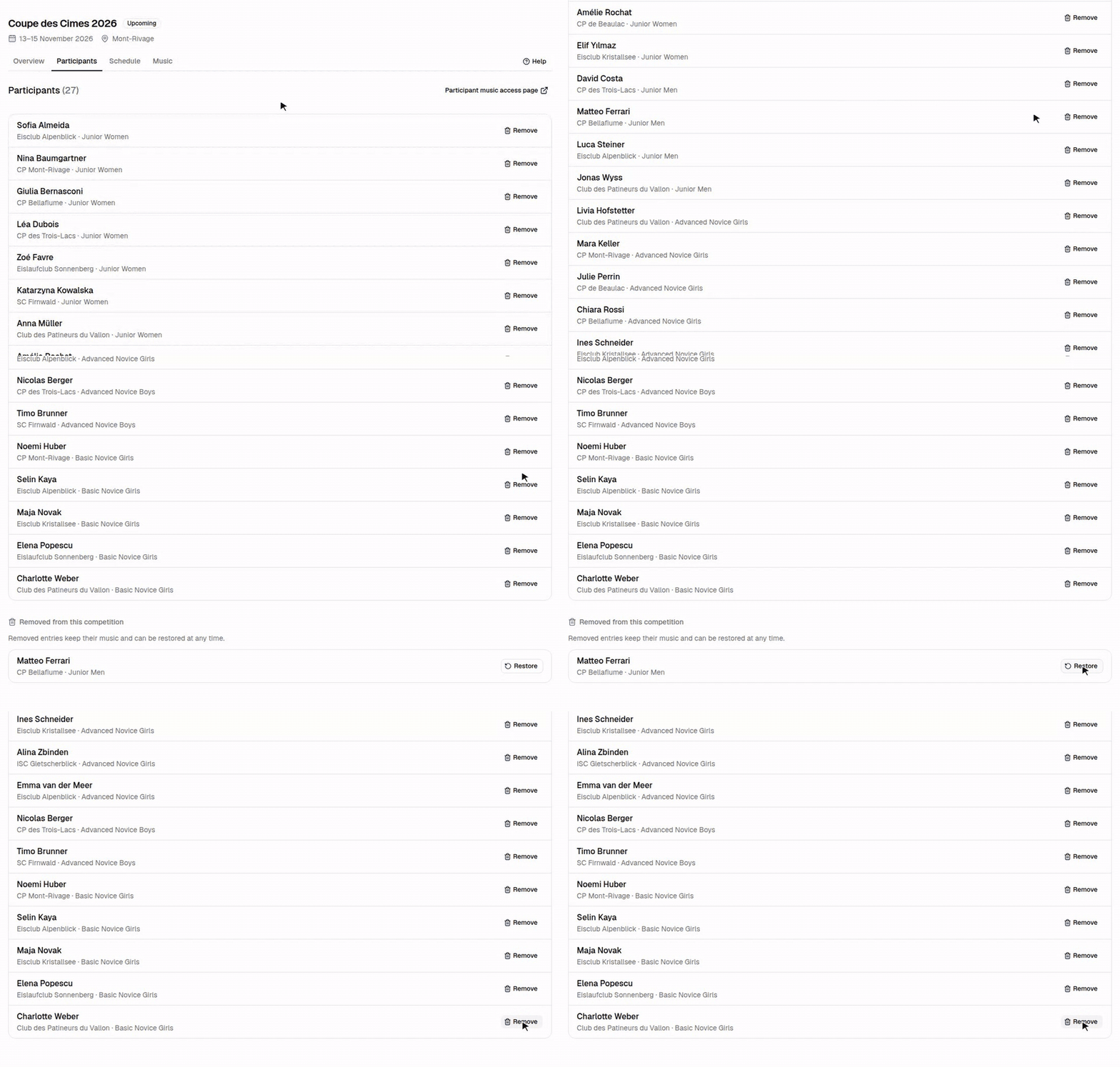
Restore an entry
Removed entries are listed under Removed from this competition. Select Restore to put the entry back: it reappears in the list and on the music dashboard with all its music, and the participant can submit again.
