For organizers
Review a program's music
Select a participant's name on the music dashboard to open the details of that program. The page header shows the participant, their club, the category and segment, and the program's status.
Submitted music
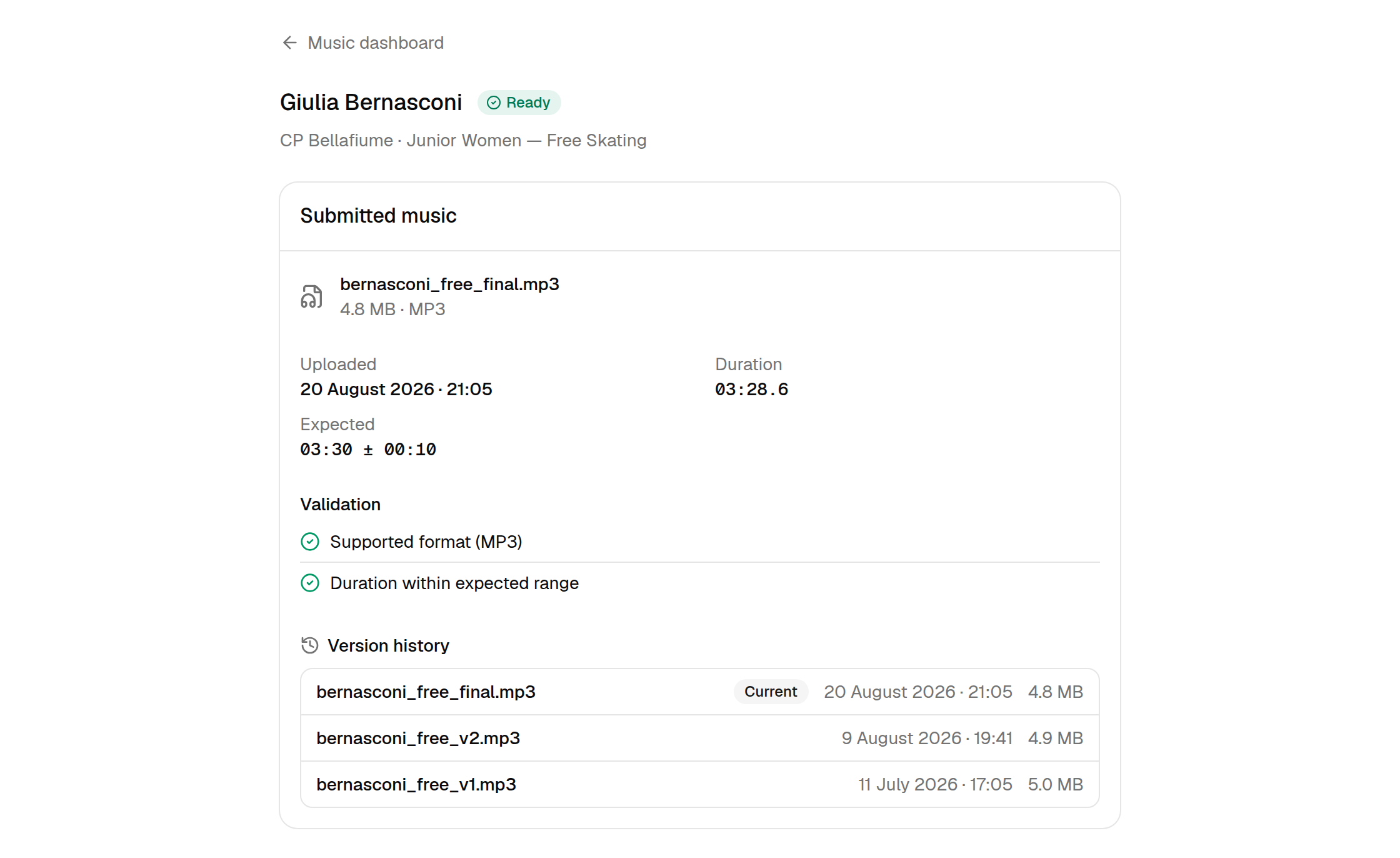
When music has been received you see the file and everything RallyHub knows about it.
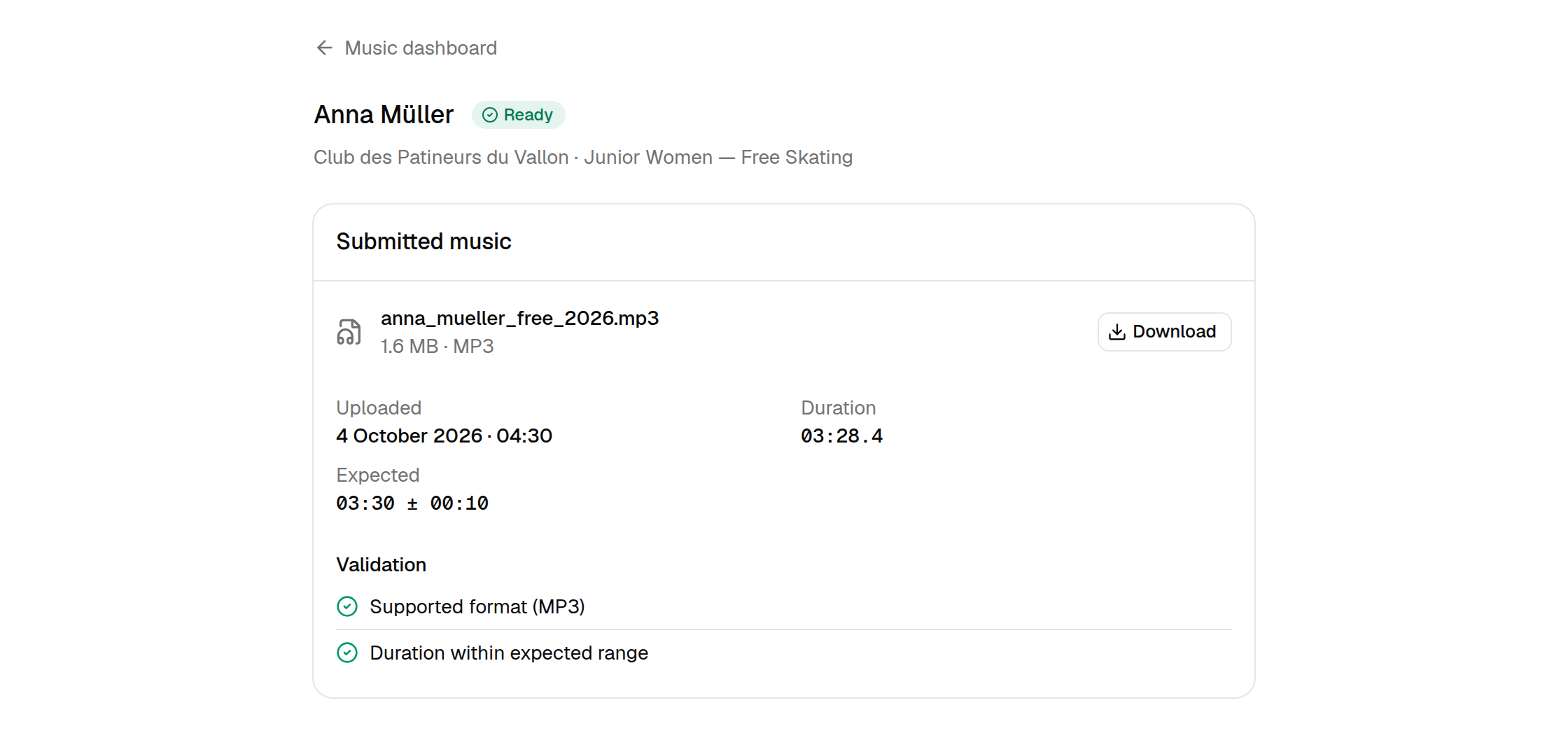
- File — the file name as the participant uploaded it, its size and format.
- Uploaded — when the current file arrived.
- Duration and Expected — the measured length next to the required length and tolerance.
- Validation — the result of each check. Two green checks mean the program is Ready.
Download the file
Select Download to save the file, e.g. to build the competition playlist. Every click creates a fresh, private download link that expires after a few minutes — links cannot be shared or reused, so download again whenever you need the file.
When the duration is out of range
A Warning program has playable music whose length is outside the allowed range. The validation section shows both values.
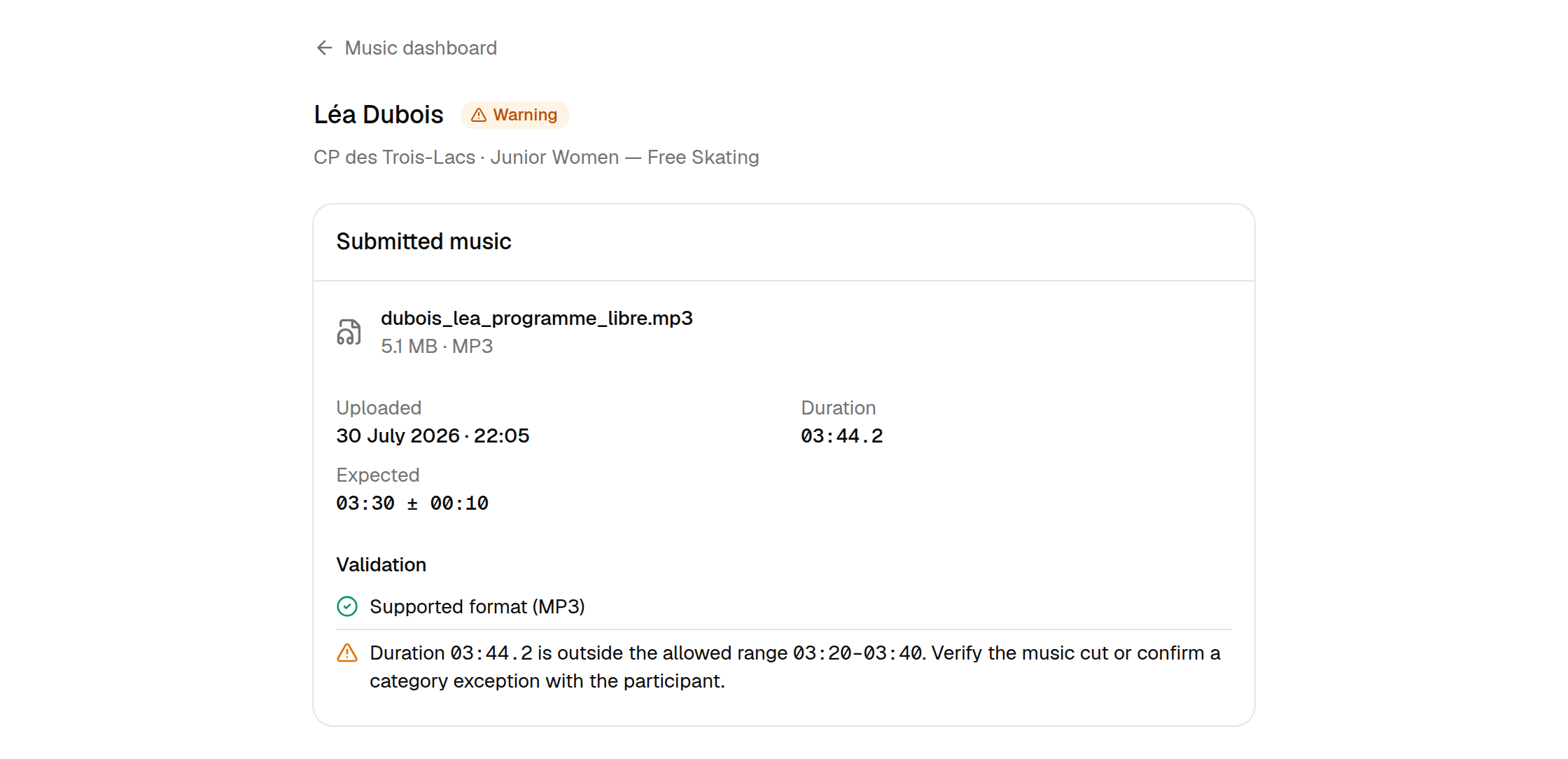
Check with the participant whether they sent the right cut, or whether a category exception applies. If they send a corrected file, the status updates automatically.
When the file is not playable
An Invalid program has a file that could not be decoded as audio — often a copy-protected purchase.
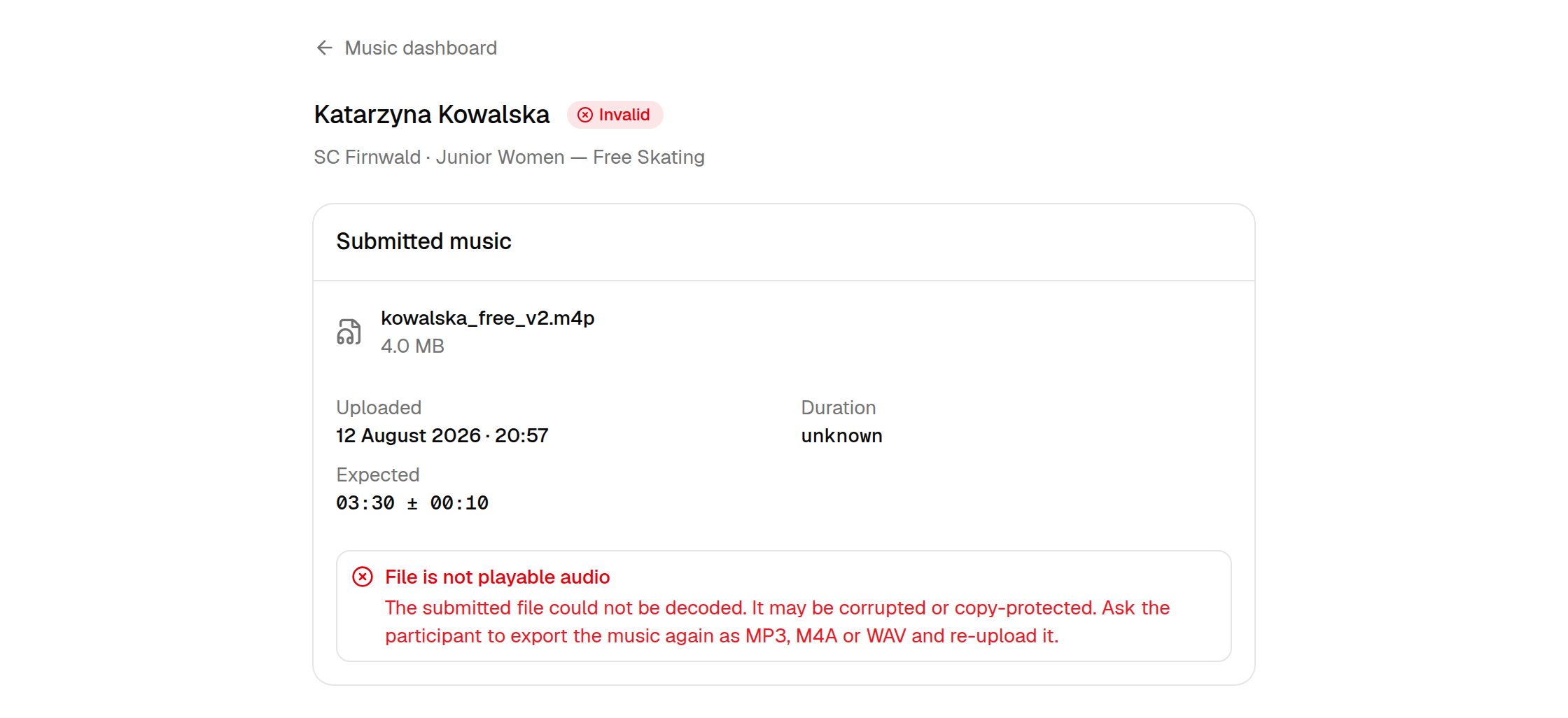
Ask the participant to export the music again as MP3, M4A or WAV and upload it. Music file requirements has instructions you can send them.
Version history
When a participant replaced their music, Version history lists every file they sent, newest first. The file marked Current is the one that counts.
Missing music
A Missing program has no music yet.
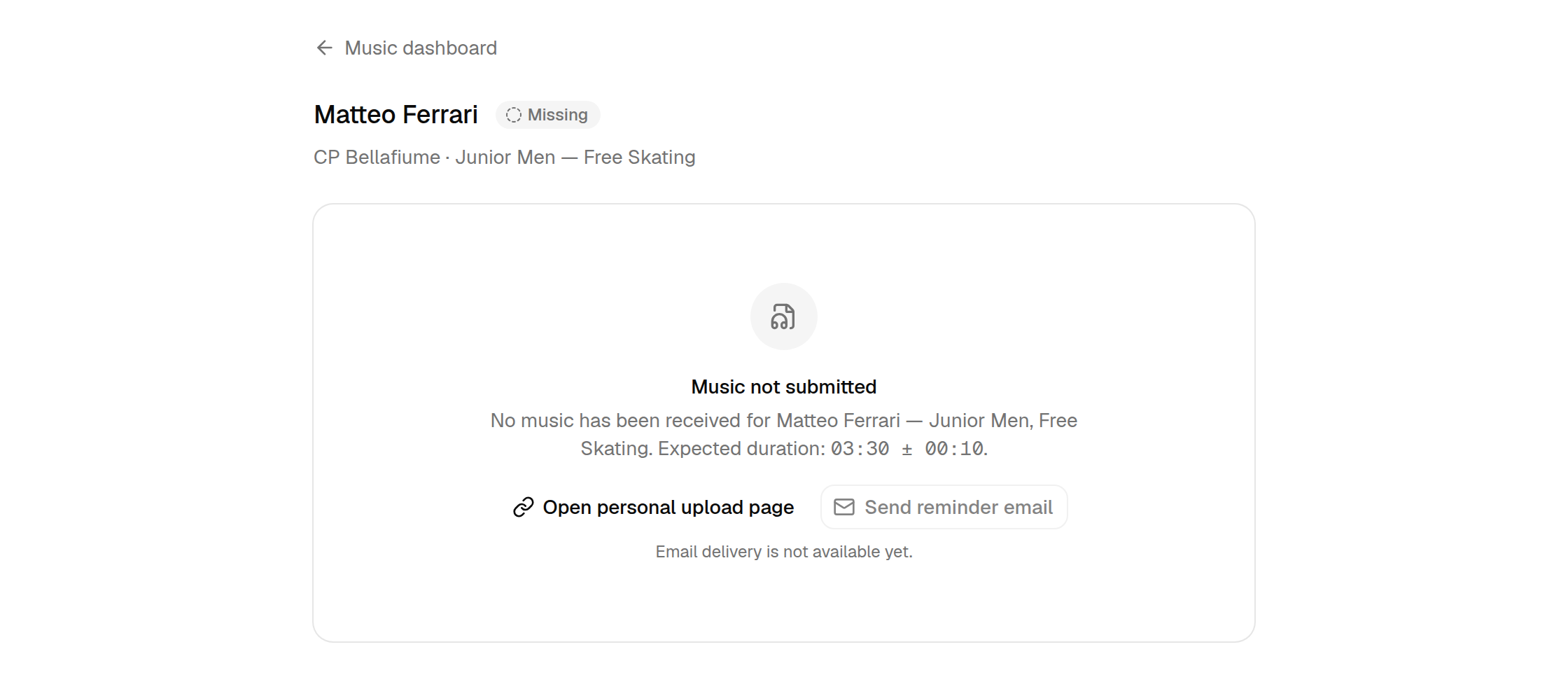
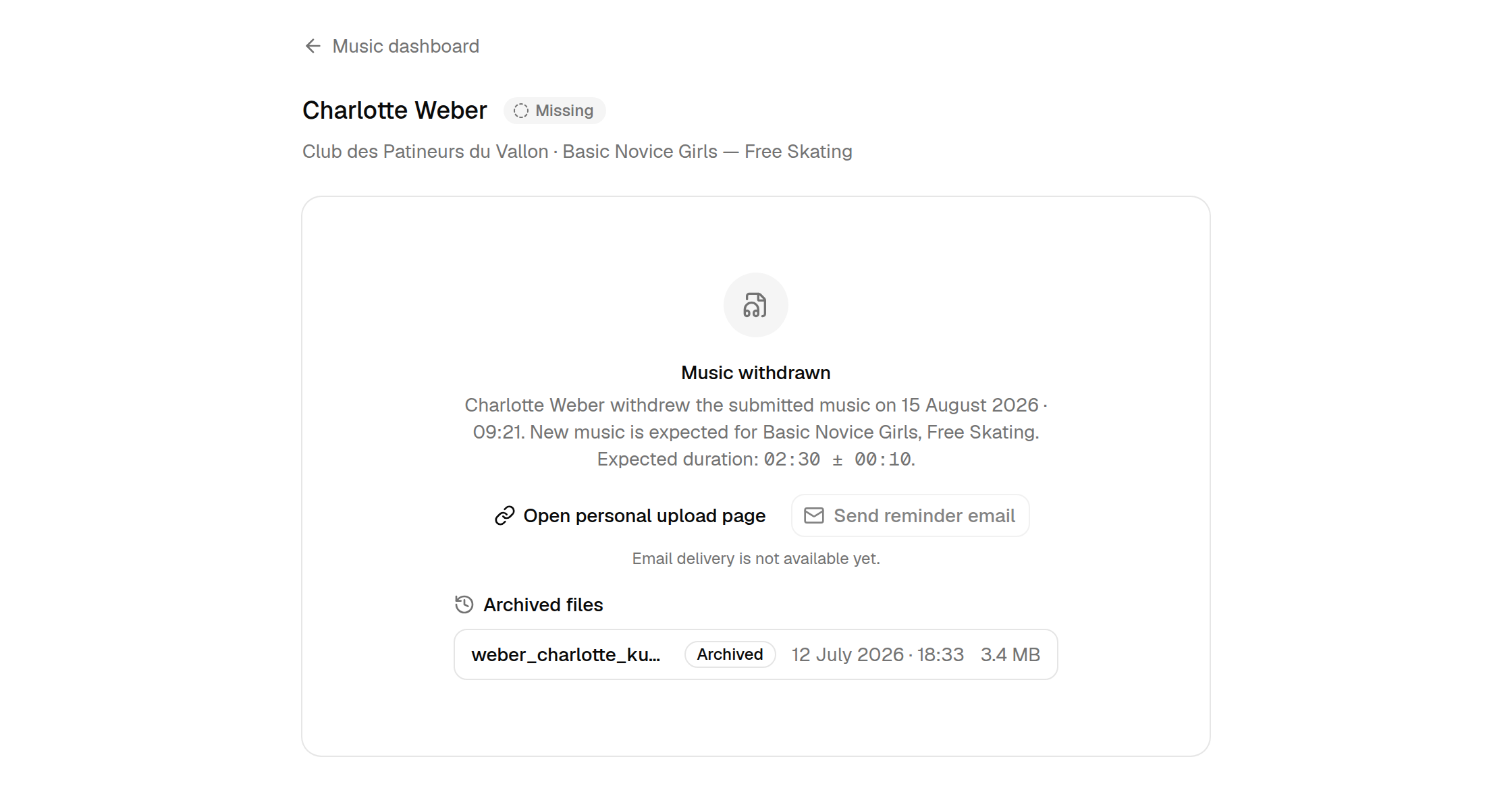
- Open personal upload page opens the exact page the participant uses to upload this program's music. Copy its address and send it to the participant so they can skip the lookup.
- Send reminder email is not available yet.
Withdrawn music
If music was withdrawn — for example after a change of choreography — the program counts as missing again. The previous files stay listed as Archived files, so nothing is lost.